What Are the Top Types of Digital Acrylic Sign Boards?
A Digital Acrylic Sign Board combines a clear acrylic surface with digital display technology to present messages, images, or video. It can brighten a reception desk, guide visitors through a showroom, or showcase a menu beside a counter. The effect can feel sleek. Yet the right board depends on more than appearance.
Digital acrylic signs come in several forms, including edge-lit panels, transparent displays, backlit screens, and interactive touch boards. Each type serves a different purpose. An edge-lit panel can suit a compact logo display, while a transparent screen may keep products visible behind the content. Touch models add direct interaction, but they also require thoughtful placement and easy-to-use software. Small details matter. Viewing distance, ambient light, mounting position, and content updates can all affect readability.
This guide explores the top types of Digital Acrylic Sign Board and explains where each option may work best. It also considers practical points such as brightness, screen size, maintenance, and installation needs. Specifications vary by manufacturer, so buyers should verify them before choosing a model. There is no universal winner. A bright display may look impressive in a dim lobby but feel harsh near a sunny window. Even a well-designed board can disappoint if its message is difficult to read. The aim is to help readers compare options clearly and make a choice suited to their space, audience, and budget.
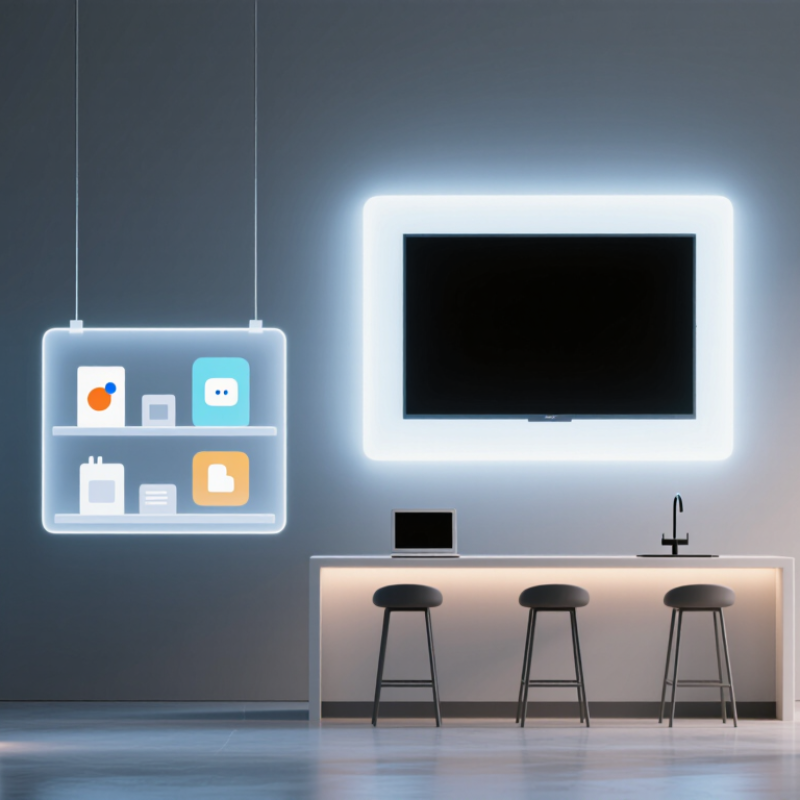
LED-Backlit Acrylic Sign Boards
LED-backlit acrylic sign boards use a translucent acrylic face and LEDs behind it to create even, vivid illumination. They work well for reception signs, menus, and wayfinding panels, especially where ambient light makes printed lettering hard to read. A clean edge-lit panel can look crisp, but uneven LED spacing may create bright spots. Check samples in the actual room, not only under showroom lighting.
The U.S. Department of Energy’s LED lighting guidance reports that LEDs use at least 75% less energy and last up to 25 times longer than incandescent lighting. That comparison is not a direct test of complete sign boards, and results vary with drivers, brightness, and operating hours. Ask for the sign’s wattage and expected service life. Small details matter.
Acrylic thickness, engraved depth, and face color all affect the final glow. White acrylic often spreads light evenly; darker faces may need stronger illumination, which can increase power use. In a narrow corridor, a softly lit sign may be easier to read than a glaring one. Maintenance is not zero: dust gathers around edges, and a failed driver can dim the whole panel. I would also inspect the mounting and cable route before ordering; they are easy to overlook.
Edge-Lit Acrylic Sign Boards
Edge-lit acrylic sign boards place LEDs along one or more panel edges. Light travels through the clear acrylic and scatters at engraved, printed, or frosted details. The result is glowing lettering or a clean outline, rather than a uniformly bright screen. These boards suit reception desks, wayfinding, and compact retail displays. Details matter. Panel thickness, polished edges, LED spacing, and room brightness all affect the finish. A poorly matched layout can leave bright corners and dim strokes.
MarketsandMarkets’ 2024 Digital Signage Market report estimated the wider market at US$27.8 billion in 2024, forecasting US$41.6 billion by 2029. That is an 8.4% compound annual growth rate, but the report does not isolate edge-lit acrylic boards. Treat it as broad industry context, not a product-specific sales forecast. Before specifying a board, check viewing distance, ambient light, and how often graphics may need changing. Ask to see a dimming test in the actual space; glare can flatten fine lettering. Service access is easy to overlook.
Acrylic LCD Display Boards
Acrylic LCD display boards combine a digital screen with a clear or printed acrylic face. They suit reception areas, retail counters, exhibitions, and indoor wayfinding. The LCD can show changing prices, menus, or announcements without replacing printed panels. Acrylic adds a neat finish, but it is not the display itself. The panel’s resolution, brightness, and viewing angle determine how readable the content looks. Small text may blur from a few steps away. Test the board at its actual viewing distance.
These boards vary by size, orientation, and installation style. A countertop unit keeps information near eye level, while a wall-mounted screen saves counter space. Some designs use a transparent acrylic layer over the screen; others frame the LCD with acrylic. Check how the screen handles reflections under ceiling lights. Also consider ventilation, cable access, and cleaning. Setup can be fussier than expected, especially when power outlets sit far from the display.
Tips: Use high-contrast colors and large lettering. Keep key details near the center of the screen. Wipe acrylic with a soft, non-abrasive cloth to reduce scratches. Before ordering, confirm the screen’s brightness in the room where it will be used. A bright showroom and a dim hallway need different settings. My own rule: view it from the doorway. Sometimes the layout still needs work.
What Are the Top Types of Digital Acrylic Sign Boards?
Digital acrylic sign boards are available in several screen formats. The chart compares common formats by width-to-height ratio; it is a format guide, not a ranking of popularity.
Portrait formats suit menus and directory displays, while landscape and ultra-wide formats are often used for promotional content. Square formats work well where display space is limited. Actual screen dimensions vary by product.
Transparent Acrylic LED Sign Boards
Transparent acrylic LED sign boards combine clear panels with illuminated lettering or graphics. Many designs use edge lighting: LEDs sit along the panel edges, while engraved or frosted areas scatter the light. The result can feel bright without hiding the surface behind it. In a café window, for example, a clear panel keeps the view open while white lettering stays visible after dusk. Color and brightness depend on LED placement, acrylic thickness, engraving, and surrounding light. Daylight can wash out subtle effects.
That matters.
Check the sign from its expected viewing distance and angles, not only straight on. Ask how it mounts, where the power cable exits, and whether the LEDs can be serviced. A visible cable can spoil a clean display. Also check the stated limits for heat and moisture; indoor and outdoor specifications are not interchangeable.
Clean acrylic with a soft microfiber cloth and a compatible cleaner, since abrasive pads may leave fine scratches. Transparent boards show dust and fingerprints more readily than opaque panels.
They look refined, but they need care. The edge glow may not be perfectly even.
Interactive Touchscreen Acrylic Sign Boards
Interactive touchscreen acrylic sign boards turn a printed-looking display into a point of action. A visitor can tap a floor map, browse a menu, or request product details through a clear acrylic surface. The touch sensor sits behind the panel, so the screen stays protected from fingerprints and everyday contact. Yet acrylic thickness, glare, and sensor calibration can affect response. Test the finished panel under real lighting, not only in a workshop.
Demand is growing across the wider display sector. Grand View Research valued the global digital signage market at US$28.83 billion in 2023 and forecast an 8.1% compound annual growth rate from 2024 to 2030. MarketsandMarkets projected the interactive display market would reach US$45.3 billion by 2028, from US$13.2 billion in 2023. These figures cover broader display markets, not acrylic touch boards alone. That distinction matters.
For a practical installation, keep tap targets large and navigation shallow. A person standing in a bright lobby should find the map without reading a wall of instructions. Add a physical edge or stand that helps visitors locate the active area. Still, touch is not magic. Smudges build up, and a sleek interface can confuse people when labels are vague. Watch a few visitors use it before finalizing the layout; small awkward moments are easy to miss.

